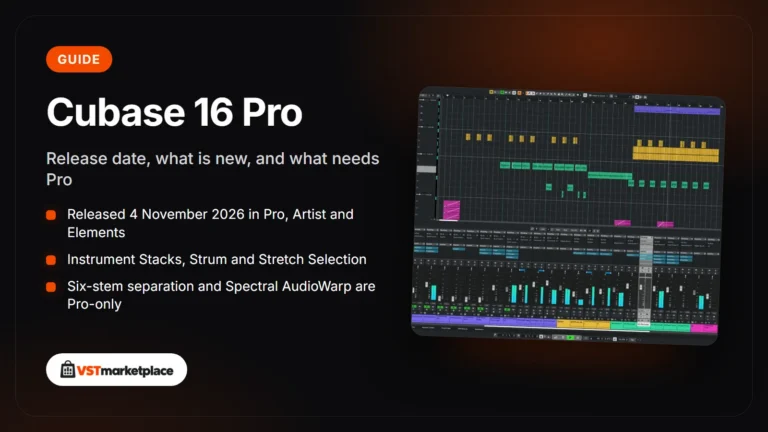
Short answer: If you are looking for a Cubase 15 update, the choice is whether to move to Cubase 16 now. Update to Cubase 16 if you need one of its new tools, your computer meets the requirements, and you are happy to move to a new version. If you are on Cubase 15 and your projects run fine, there is no urgency to switch. Cubase 16 is worth it mainly for Instrument Stacks, six-stem separation, Spectral AudioWarp (Pro only) and the new MIDI tools, and it needs a newer operating system than Cubase 15 for some computers.
This guide is for people deciding whether to move, based on what Steinberg has published and what the press coverage reports. For the full list of new tools, read our Cubase Pro 16 listing and the coverage from MusicTech and Production Expert.
Update or upgrade: what Steinberg calls it
Steinberg uses two terms, and they mean different things. According to Dubspot’s coverage, a move to a newer version of the same edition is an update, and a move to a higher edition is an upgrade. Dubspot lists these routes into Cubase 16:
- Update: Cubase Pro, Artist or Elements 6 to 15 each have a route to the same edition of Cubase 16.
- Upgrade to Pro 16: from Cubase Artist, Cubase Elements, and Cubase AI or LE.
- Upgrade to Artist 16: from Cubase Elements, and Cubase AI or LE.
- Upgrade to Elements 16: from Cubase AI or LE.
Check Steinberg’s shop for the current price and eligibility for your version before you buy. Prices in the press coverage differ between sources, so we don’t quote them here.
Check your computer first
Cubase 16 needs newer systems than some older versions did. According to Production Expert’s coverage, Steinberg lists these minimums:
- Windows: Windows 11 version 25H2 or higher, or Windows 10 version 22H2 or higher.
- macOS: macOS 15 Sequoia or later. The list also includes macOS 26 Tahoe and macOS 27 Golden Gate.
The CPU has to be an Intel Core i5 (8th generation) or later, an AMD Ryzen 3000 series, or a Windows on Arm processor on Windows; on Mac it has to be an Intel Core i5 (late 2018 or later) or Apple silicon. If your operating system or processor is older than that, Cubase 16 is not an option for that computer, whatever the features.
Should you update from Cubase 15?
Move to Cubase 16 now if one of these applies to you:
- You want Instrument Stacks. They combine VST instruments, Sampler Tracks and Drum Tracks into one playable instrument. They are in Pro and Artist.
- You separate stems often. Cubase Pro 16 separates recordings into six stems, which is more than most users need but useful for remixing and cleanup.
- You write chords and melodies in the Key Editor. Strum and Stretch Selection are in every edition.
- You use Pro-only tools. Spectral AudioWarp and the doubled sends per channel are in Cubase Pro 16 only.
Stay on Cubase 15 for now if your projects run without problems, you don’t use any of the tools above, or your computer does not meet the Cubase 16 requirements. Upgrading in the middle of a project can also cost time, so finish current work first and then move.
A checklist before you move
Moving a version is easier when you prepare first. Work through these steps before you install anything:
- Check your operating system. Confirm your Windows or macOS version is on the list above. If it is not, updating the system may be the first step.
- Check your plug-ins. Make a list of the third-party instruments and effects in your main projects, and confirm each one has a version that works with Cubase 16 before you move. Most current plug-in developers publish their compatibility notes on their own sites.
- Keep a copy of your projects. Save a copy of each active project before you open it in the new version, so you can return to the original if something does not behave as expected.
- Test one project first. Open a typical project in Cubase 16, play it back, and compare the mix with the version you know. Only move the rest once that project behaves correctly.
Should you wait for a later version?
Waiting makes sense if you are busy with a project and your current version does what you need. Read the release notes before you move a large session, and keep a copy of your current project files until you are sure the new version opens them correctly. If a tool you need is missing from your edition, check the table in our Cubase Pro 16 listing first, because several new tools are limited to Pro.
Which edition should you pick when you move?
If you use Cubase Artist now, the reasons to move to Pro are Spectral AudioWarp, six-stem separation and the doubled sends per channel, all in Pro only. If you only need the everyday tools, Artist 16 includes Instrument Stacks, DrumChain and the Module FM library, along with Strum, Stretch Selection and Lyrics. Our Cubase Pro 16 page is the edition we sell. If your computer does not meet the requirements for Cubase 16, Cubase Pro 15 is the previous version.
Other DAWs to consider
If you are also weighing a switch rather than an update, the best DAW guide compares the main options by use. You can also browse all DAWs in the store, or see the Steinberg brand page for the company’s other products.
Written by the VSTmarketplace team from the developers’ published information.
Frequently asked questions
What is the difference between an update and an upgrade in Cubase?
According to Dubspot's coverage of Cubase 16, a move to a newer version of the same edition is an update, and a move to a higher edition is an upgrade.
Can I move from Cubase 15 to Cubase 16 directly?
Yes. Dubspot's coverage lists an update route from Cubase Pro 15 to Cubase Pro 16, and from Cubase Artist 15 and Elements 15 to the same editions of Cubase 16.
Which operating systems does Cubase 16 support?
According to Production Expert's coverage, Cubase 16 supports Windows 11 version 25H2 or higher and Windows 10 version 22H2 or higher, and macOS 15 Sequoia or later, including macOS 26 Tahoe and macOS 27 Golden Gate.
Should I wait before updating to Cubase 16?
Wait if your current version does everything you need and you are in the middle of a project. Read the release notes before moving large sessions, and check which tools your edition includes.