Short answer: choose FL Studio if you mostly build beats from patterns with a step sequencer and piano roll, and like Image-Line’s promise of lifetime free updates. Choose Ableton Live if you want to sketch, jam and perform with clips in Session View, or want Max for Live, which comes with Ableton Live 12 Suite. Both run on Windows and macOS and load VST3 plugins, so the instruments and effects you buy work in either.
Neither is “better” across the board. They are two different ways of working, and the right one is the one that matches how you write music. This comparison uses the developers’ own published information.
Ableton Live vs FL Studio at a glance
| Ableton Live | FL Studio | |
|---|---|---|
| Developer | Ableton | Image-Line |
| Current version | Live 12.4 (free update for Live 12 owners) | FL Studio 2026 (free update for all owners) |
| Windows | Windows 10 (22H2) or 11, CPU with AVX2 | Windows 10 or 11 |
| macOS | macOS 11.7.10 or later, Intel or Apple silicon | macOS 10.15 or later, Intel or Apple silicon |
| Minimum RAM | 8 GB | 4 GB |
| Plugin formats | VST2, VST3, plus Audio Units on macOS | VST, VST3, CLAP, plus Audio Units on macOS |
| Editions | Standard and Suite (Max for Live in Suite) | Fruity, Producer, Signature Bundle, All Plugins |
| Main workflow | Session View clips plus Arrangement View timeline | Step sequencer, Piano Roll and pattern-based Playlist |
How each one works
FL Studio: patterns, Piano Roll and Playlist
FL Studio grew out of a step sequencer, and Image-Line still describes it as the tool many Southern US producers used to build the trap sound. You program drums and parts as patterns, write melodies and automation in the Piano Roll, then arrange patterns, audio and automation clips in the Playlist to build the full song.
That pattern-first approach is quick for loop-based beats: make an eight-bar idea, copy it, vary it, and lay it out across the Playlist. If you think in drum patterns and melodies drawn with the mouse, FL Studio tends to feel natural.
Ableton Live: Session View and Arrangement View
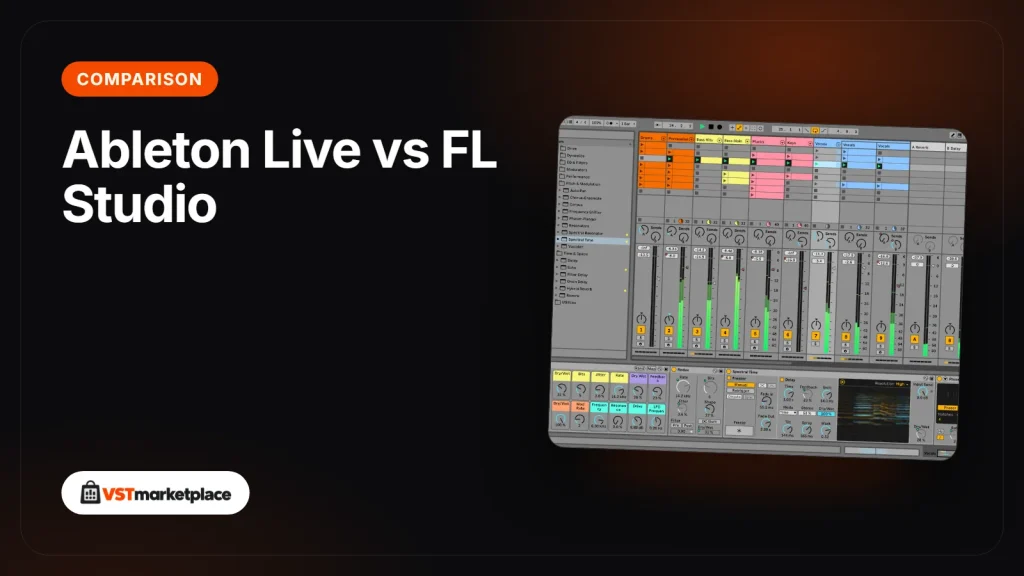
Live has two main views. In Session View, according to the Live 12 manual, clips can be played at any time and in any order, so you can try loops against each other, improvise and perform. Arrangement View is a traditional timeline where the song plays from start to finish. Many producers jam ideas in Session View and record the result into Arrangement View.
That makes Live a strong fit for electronic music, sound design and anything you play live on stage, where launching clips and scenes in real time matters more than a fixed song structure.
Which is better for beginners?
Neither developer positions its DAW as beginners-only, so start with the workflow that suits you rather than reputation. A few practical points help:
- Recording audio: FL Studio’s entry Fruity Edition does not record audio into the Playlist. If you want to record vocals, guitar or other live sources, you need Producer Edition or higher.
- Older computers: FL Studio lists lower minimums (4 GB RAM, macOS 10.15). Live 12 needs 8 GB RAM, macOS 11.7.10 or later, and on Windows a CPU with AVX2.
- Updates: Image-Line gives every owner future FL Studio updates for their edition free. Ableton gives point updates within a version, such as Live 12.4 for Live 12 owners.
Beat-making or live performance?
For beat-making, FL Studio’s step sequencer and Piano Roll are its core strengths, and Image-Line ties its step sequencer to the birth of the trap sound. Live can make beats just as well, with Drum Racks and MIDI clips, but its standout feature is Session View, which neither FL Studio’s Playlist nor a classic timeline matches for launching ideas live.
For performing, Live is the more obvious choice: clip and scene launching was built for the stage. Live 12 Suite also adds Max for Live for custom instruments, effects and tools.
Which Ableton Live edition compares with which FL Studio edition?
The two developers count their instruments and effects differently, so treat the figures as a guide rather than a one-to-one comparison. From Image-Line’s edition comparison and Ableton’s compare page:
- FL Studio Fruity: over 20 instruments and over 50 effects, no audio recording.
- FL Studio Producer: adds audio recording, the Edison and Newtime editors, and instruments such as Kepler, Slicex and Sytrus.
- FL Studio Signature Bundle: adds Newtone, DirectWave Full and Pitcher.
- FL Studio All Plugins: nearly 40 instruments and over 70 effects, including Harmor, LuxeVerb and Transmitter.
- Ableton Live 12 Standard: 12 instruments, over 35 audio effects and around 40 GB of sounds.
- Ableton Live 12 Suite: around 20 instruments, nearly 60 audio effects, over 30 Packs, over 70 GB of sounds, plus Max for Live and Stem Separation.
In role, FL Studio Producer is closest to Live Standard (the full DAW with audio recording and a core set of devices), and FL Studio All Plugins is closest to Live Suite (everything the developer makes).
Live 12 Suite or Live 11 Suite?
If you choose Ableton, Ableton Live 12 Suite is the current version. Live 12 adds MIDI Tools (MIDI Generators and Transformations), the Meld synth, the Roar distortion device, Granulator III, Stacked Detail Views and Sound Similarity Search. Ableton Live 11 Suite is the previous version (latest update 11.3.43). It still makes sense for older computers, because it runs on Windows 10 build 1909 and, with the Intel build, on macOS 10.13 High Sierra.
Can you use the same VST plugins in both?
Yes. Both DAWs load VST3 plugins on Windows and macOS, and both load Audio Units on a Mac. FL Studio also loads CLAP plugins, and Live also loads older VST2 plugins.
So the same third-party instruments work in either DAW. Xfer Records Serum 2 comes as VST3, AU and AAX, so you load the VST3 version in FL Studio or Live (or AU on a Mac). reFX Nexus 5 comes as VST2, VST3, AU and AAX, and reFX lists both FL Studio and Ableton Live as compatible hosts. If you change DAW later, your plugins come with you. Browse plugins that work with FL Studio if you are building an FL Studio setup.
System requirements side by side
- Ableton Live 12: Windows 10 (22H2) or Windows 11 with a 5th generation Intel Core i5 or AMD Ryzen CPU with AVX2, or macOS 11.7.10 or later on Intel Core i5 or Apple silicon; 8 GB RAM; about 6 GB (Windows) or 8 to 10 GB (macOS) for the basic installation, plus up to around 80 GB of optional sounds.
- FL Studio: Windows 10 or 11 on Intel or AMD, or macOS 10.15 or later on Intel or Apple silicon; 4 GB RAM; 4 GB of free disk space.
Image-Line’s own details are on Image-Line’s FL Studio page.
The verdict
Pick FL Studio for fast pattern-based beat-making and lifetime free updates. Pick Ableton Live for clip-based writing, sound design and live performance, and Live 12 Suite if you want Max for Live and the full sound library. Whichever you choose, your plugins work in both. Compare the DAWs we stock to find the right edition.
Written by the VSTmarketplace team from the developers’ published information.
Frequently asked questions
Is Ableton Live or FL Studio better for beginners?
Both suit beginners; the better one is the workflow you prefer. FL Studio builds songs from patterns in a step sequencer and piano roll, while Ableton Live works with clips in Session View and a timeline in Arrangement View.
Which is better for beat-making and which for live performance?
FL Studio is built around a step sequencer and Piano Roll, which suits pattern-based beat-making such as hip-hop and trap. Ableton Live's Session View lets you launch clips in any order, which suits live performance.
Do Ableton Live and FL Studio run on Windows and macOS?
Yes. Live 12 needs Windows 10 (22H2) or 11 or macOS 11.7.10 or later. FL Studio needs Windows 10 or 11 or macOS 10.15 or later. Both run on Intel and Apple silicon Macs.
Can I use the same VST plugins in Ableton Live and FL Studio?
Yes. Both load VST3 plugins on Windows and macOS and Audio Units on a Mac. FL Studio also supports CLAP and Live also supports VST2, so most third-party instruments and effects work in both.
Which Ableton Live edition compares with which FL Studio edition?
In role, FL Studio Producer Edition is closest to Live Standard, and FL Studio All Plugins Edition is closest to Live Suite. FL Studio's Fruity Edition has no audio recording.