The best FL Studio plugins start with the ones you already have: FLEX, Sytrus, Gross Beat and the Fruity EQ and limiter cover a lot before you buy anything. When you need more, pick third-party plugins by job: Xfer Records Serum 2, reFX Nexus 5 or Spectrasonics Omnisphere 3 for synths, the FabFilter Total Bundle and oeksound soothe3 for mixing, Antares AutoTune Pro 11 for vocals, and Valhalla DSP reverbs or XLN Audio RC-20 Retro Color for space and character. All of them come in a format FL Studio loads.
How this list was chosen
The plugins are grouped by the job they do in a mix, not ranked against each other. For every third-party plugin we checked the developer’s own pages for a format FL Studio supports, and the formats and systems below come from those pages and from Image-Line’s FL Studio manual. FL Studio’s own plugins come first because you already own them, and the free tier of Vital is included as a synth the store does not sell. No plugin is placed higher because VSTmarketplace sells it.
Stock FL Studio plugins worth learning first
Which stock plugins you have depends on your edition, according to Image-Line’s edition comparison:
- FLEX (all editions): a preset-based synth. New sound packs download from inside the plugin; some packs are free and the paid ones come with an FL Cloud subscription.
- Fruity Parametric EQ 2 and Fruity Limiter (all editions): the everyday EQ and limiter for mixing in FL Studio.
- Sytrus (Producer Edition and up): a synth with six operators that does FM, ring modulation, subtractive and additive synthesis.
- Gross Beat (Signature Bundle and up): a real-time playback, pitch, position and volume effect for beat-synced glitch, stutter, repeat, scratch and gate effects.
- Harmor (All Plugins Edition only): an additive synth that can resynthesise audio files you drop onto it and turn sounds into editable images.
Third-party synths
Xfer Records Serum 2
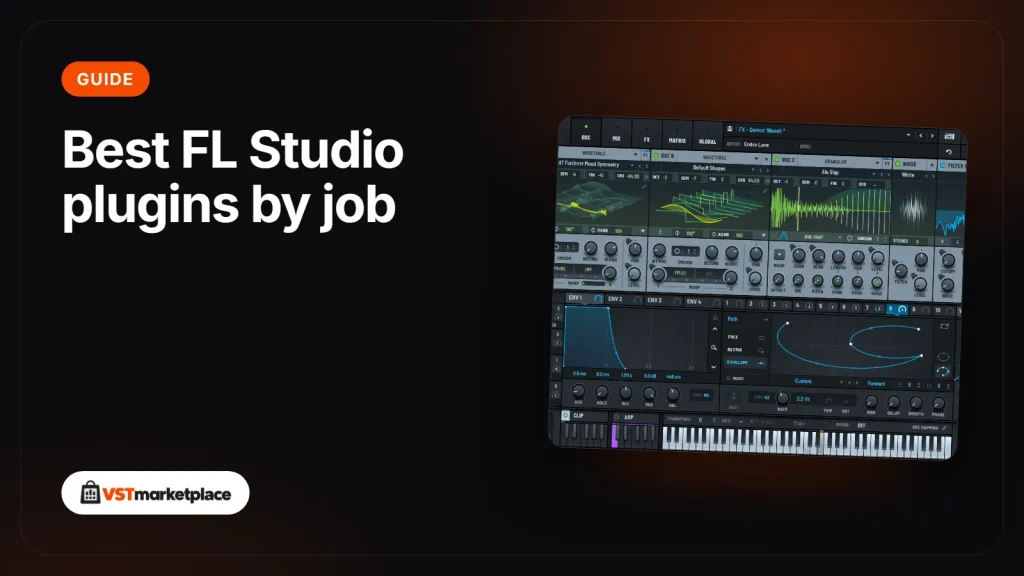
Serum 2 is a hybrid synth with wavetable, multisample, sample, granular and spectral oscillators, an arpeggiator and a clip sequencer, with over 600 presets. In FL Studio it loads as VST3 on Windows 10 or later, and as VST3 or AU on macOS (macOS 11 or later on Apple Silicon).
reFX Nexus 5
Nexus 5 is a preset-based synth with eight generators, an arpeggiator and a trancegate. The standard content is over 5,400 presets, and with all expansions it grows to over 34,000. reFX names FL Studio as a compatible host; it comes as VST2, VST3 and AU and runs on Windows 10 or 11 and macOS 10.13 or later.
Spectrasonics Omnisphere 3
Omnisphere 3 combines DSP synthesis with sample-based sound sources and a library of over 41,000 sounds, with up to 20 oscillators per patch. It runs standalone or as VST3, VST2 or AU in FL Studio, on Windows 10 or macOS 13 Ventura or higher, and needs around 65 GB of free disk space.
Vital (not sold here)
If you want a wavetable synth before you spend anything, Vital has a free Basic tier. It is a spectral warping wavetable synth that runs on Windows 10, macOS 10.15 and Ubuntu 18.04 or newer.
Mixing and mastering
FabFilter Total Bundle
The FabFilter Total Bundle is all 14 FabFilter plugins: Pro-Q 4 (EQ), Pro-C 3 (compressor), Pro-L 2 (limiter), Pro-R 2 (reverb), Pro-MB (multiband dynamics), Pro-DS (de-esser), Pro-G (gate), Saturn 2 (saturation), Timeless 3 (tape delay), Volcano 3 (filter), the Twin 3 synth and the basic One, Simplon and Micro. FabFilter offers VST, VST3, AU and CLAP, so FL Studio can load any of them, on Windows Vista to Windows 11 and macOS 10.13 or higher.
oeksound soothe3
soothe3 is a dynamic resonance suppressor: it finds harsh or muddy resonances as they happen and reduces them only when and where needed. It has a transparent soft mode, a hard mode in the style of soothe2 and a low latency mode for tracking. It comes as VST3 on Windows 10 or 11 (no ARM) and as VST3 or AU on Mac OS X 10.14 or newer. soothe3 replaces soothe2.
Vocals
Antares AutoTune Pro 11
AutoTune Pro 11 offers Graph Mode for note-by-note editing of pitch, vibrato and formant, the classic automatic AutoTune effect, and a four-part Harmony Player. Antares lists FL Studio as a VST3 host on Windows and as a VST3 or AU host on macOS. It needs Windows 10 or 11, or macOS 14 or higher. ARA2 integration is listed for Logic, Studio One and Cubase, not FL Studio.
Reverb, delay and character
Valhalla DSP Plugins Collection
Valhalla DSP sells its seven paid plugins individually: VintageVerb, Delay, FutureVerb, Room, Shimmer, Plate and UberMod. Our collection puts all seven together (Valhalla DSP has no official bundle). They come as 64-bit VST2.4 and VST3 on Windows 7 or later, plus AU on Mac OS X 10.9 or later.
XLN Audio RC-20 Retro Color
RC-20 Retro Color adds the character of vintage recording gear with six modules: noise (vinyl, tape hiss and hum), wobble and flutter, saturation and distortion, a degrader and bitcrusher, reverb, and tape-style volume drops. One slider scales every module at once. It comes as 64-bit VST, AU and AAX on Windows 10 or 11 and macOS 10.13 or later.
Formats FL Studio can load, at a glance
| Plugin | Job | Formats for FL Studio | Windows | macOS |
|---|---|---|---|---|
| Xfer Records Serum 2 | Synth | VST3, AU | 10 or later | 10.13 (Intel), 11 (Apple Silicon) |
| reFX Nexus 5 | Preset synth | VST2, VST3, AU | 10 or 11 | 10.13 or later |
| Spectrasonics Omnisphere 3 | Synth and library | VST2, VST3, AU | 10 or higher | 13 or higher |
| FabFilter Total Bundle | Mixing and mastering | VST, VST3, AU, CLAP | Vista to 11 | 10.13 or higher |
| oeksound soothe3 | Resonance control | VST3, AU | 10 or 11 | 10.14 or newer |
| Antares AutoTune Pro 11 | Vocal tuning | VST3, AU | 10 or 11 | 14 or higher |
| Valhalla DSP Plugins Collection | Reverb and delay | VST2.4, VST3, AU | 7 or later | 10.9 or later |
| XLN Audio RC-20 Retro Color | Character | VST, AU | 10 or 11 | 10.13 or later |
Which plugin formats does FL Studio support?
According to Image-Line’s manual, FL Studio on Windows loads 32-bit and 64-bit VST, VST3 and CLAP plugins plus its own native format. On macOS it loads 64-bit VST, VST3, Audio Units and CLAP. AAX, the Pro Tools format, is not on the list, so use the VST3 or AU version of a plugin in FL Studio.
How to add plugins to FL Studio
- Run the plugin’s installer and keep its default folder (for example Program Files\Common Files\VST3 on Windows or Library/Audio/Plug-Ins/VST3 on a Mac). Image-Line advises against putting plugins in FL Studio’s own folder.
- Open Options > File settings > Manage plugins.
- Tick Find installed plugins and Verify plugins, then run the scan. Verify sorts each plugin into Generators or Effects.
- Find the new plugins in the Browser under Plugin database > Installed > Generators > New or Effects > New.
- Flag the ones you use as favourites so they appear in the Channel Rack and mixer slot menus.
On Apple Silicon Macs, Image-Line says to scan again the first time you run FL Studio in each mode (native or Rosetta 2). The full steps are in the FL Studio manual.
Where to find them
Each plugin we sell has its own page with full requirements: Xfer Records Serum 2, reFX Nexus 5, Spectrasonics Omnisphere 3, FabFilter Total Bundle, oeksound soothe3, Antares AutoTune Pro 11, Valhalla DSP Plugins Collection and XLN Audio RC-20 Retro Color. To see everything that runs in FL Studio, browse our plugins that work with FL Studio.
Written by the VSTmarketplace team from the developers’ published information.
Frequently asked questions
What are the best third-party plugins for FL Studio?
It depends on the job: Serum 2, Nexus 5 or Omnisphere 3 for synths, the FabFilter Total Bundle and soothe3 for mixing, AutoTune Pro 11 for vocals, and Valhalla DSP or RC-20 Retro Color for reverb and character. All of them come as VST, VST3 or AU, which FL Studio loads.
Which FL Studio stock plugins are worth learning first?
Start with FLEX, Fruity Parametric EQ 2 and Fruity Limiter, which are in every edition. Sytrus comes with Producer Edition and up, Gross Beat with the Signature Bundle and up, and Harmor only with the All Plugins Edition.
Does FL Studio support VST3 and AU plugins?
Yes. Image-Line lists VST, VST3 and CLAP on Windows, and VST, VST3, Audio Units and CLAP on macOS (64-bit). AAX is not on Image-Line's list of supported plugin formats.
How do I add plugins to FL Studio?
Install the plugin with its own installer, then open Options > File settings > Manage plugins, tick Find installed plugins and Verify plugins and run the scan. New plugins appear in the Browser under Plugin database > Installed.
Which synths do FL Studio producers use most?
Image-Line publishes no usage figures. Among stock synths, FLEX is in every edition and Sytrus from Producer Edition up; among third-party synths, reFX names FL Studio as a compatible host for Nexus 5, and Serum 2 and Omnisphere 3 load as VST3 or AU.