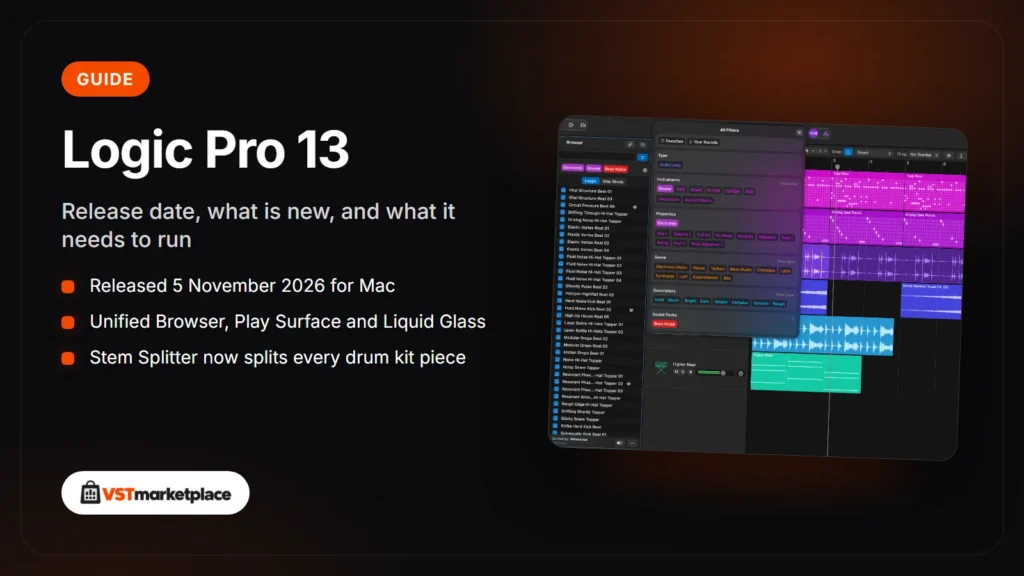
Short answer: The Logic Pro 13 release date is 5 November 2026, when Apple released Logic Pro for Mac 13.0 on the Mac App Store. The headline additions are a Unified Browser you can search in plain language, a Stem Splitter that now separates every part of the drum kit, the new Play Surface, touch control on a Sidecar iPad, a Liquid Glass redesign and an Assistant in beta. Logic Pro 13 needs macOS 26.1 or later.
This guide covers the release date, everything new in Logic Pro 13, which features need Apple silicon or an Apple Creator Studio subscription, and the system requirements. It draws on Apple’s Logic Pro release notes and the Mac App Store listing for version 13.0.
Logic Pro 13 release date
Logic Pro for Mac 13.0 appeared on the Mac App Store on 5 November 2026, and Apple published the release notes the next day. It replaces Logic Pro 12 as the latest version of Logic Pro, and the version number is 13.0.
What’s new in Logic Pro 13
Unified Browser
The biggest everyday change is a single browser for the Logic Pro Sound Library, your own samples, patches and plug-in presets. Apple says it uses music understanding built on Apple Intelligence, so you can describe a sound in words to find loops, one-shots and patches, or use Find Similar to pull up related sounds, including from your own folders. Searches can be saved as Smart Searches, Link makes the browser follow the selected track, and Replace loads a patch straight onto it. The browser also searches Sampler instruments and downloaded Splice sounds, and you can now merge patches, drag them onto Drum Machine Designer pads and save a track as a patch.
Stem Splitter splits the drum kit
Stem Splitter gains a Drums (Individual Kit Pieces) option that separates the drum stem into kick, snare, hi-hat, toms, cymbals and other percussion. The kit pieces land in a summing Track Stack, so you can still treat them as one drum bus. Stems now also follow the gain of the original region.
Play Surface
Play Surface (Window > Show Play Surface, or Command-K) is a new on-screen instrument with two layouts: a keyboard with Chord Strips, or a grid of drum pads. The keyboard has an arpeggiator, MPE and MIDI Mono support, and Chord Strips can follow your Chord Track or key. The drum pads have velocity and gate controls and note repeat from 1/32 to 1/4. You can open up to four Play Surface windows, and each one follows the selected track’s patch and saves with the project.
Touch and Sidecar
Logic Pro 13 adds touch control on the new MacBook Pro with PROLED XDR Display and on an iPad used as a second screen with Sidecar. You can move several faders and knobs at once, paint steps in the Step Sequencer with more than one finger, tap Live Loops cells and play plug-ins such as Channel EQ, Vintage B3 and Remix FX. With Sidecar, a plug-in window can move to the iPad and resize to fit, and Apple Pencil works with Play Surface.
Liquid Glass design
Windows, the toolbar, local menus and the transport get Apple’s new Liquid Glass look.
Assistant (beta)
The Assistant takes everyday-language requests for tracks, mixing, plug-ins, sounds, editing, Session Players and arrangement, and supports dictation. Apple says projects and prompts are never used to train its models. It is a beta with conditions, covered in the next section.
Other changes worth knowing
- Step Sequencer: select and edit several steps at once, tie steps, draw ramps and randomise from the context menu.
- Session Players: Change Patch and Keep Settings now apply across all tracks, with default chord progressions for arrangement markers.
- Undo: Save Undo History is now on by default.
- Mixing: Channel EQ uses Proportional Gain-Q by default, and a Remove Bypassed Sends command is added.
- Recording: Studio Voice is renamed Studio Sound.
- Export: selected tracks can be exported as a MainStage patch or set.
- Stability: Apple lists a long run of fixes for crashes and reliability.
Which Logic Pro 13 features need Apple silicon or a subscription?
| Feature | What it needs |
|---|---|
| Assistant (beta) | Apple Creator Studio subscription, Mac with Apple silicon, macOS 27 or later, signed-in Apple Account; English only, usage limits may apply |
| Browser: describe a sound, Find Similar, Link and Replace | Mac with Apple silicon |
| Touch control | MacBook Pro with PROLED XDR Display, or an iPad with Sidecar |
| Unified Browser, Stem Splitter kit pieces, Play Surface, Liquid Glass | Logic Pro 13 on macOS 26.1 or later |
Logic Pro 13 system requirements
- Operating system: macOS 26.1 or later (Mac App Store listing for version 13.0).
- Computer: Apple lists a Mac with Apple silicon on its Logic Pro page.
- Storage: around 6 GB for a minimum install, and more than 40 GB if you install the full Sound Library.
- Windows: Logic Pro is a Mac application; there is no Windows version.
Where to get Logic Pro 13
You can get it here as Apple Logic Pro 13, with the full specs and requirements on the product page. Logic Pro loads Audio Unit plug-ins, so browse plugins for Logic Pro to see what works with it. Still choosing a DAW? Compare it in Logic Pro vs FL Studio and Ableton vs Logic Pro, or see every option on the DAW software page.
Written by the VSTmarketplace team from Apple’s published release notes.
Frequently asked questions
When was Logic Pro 13 released?
Apple released Logic Pro for Mac 13.0 on the Mac App Store on 5 November 2026 and published the release notes on 6 November 2026.
What is new in Logic Pro 13?
The main additions are the Unified Browser with plain-language search, Stem Splitter separation of individual drum kit pieces, the Play Surface keyboard and drum pads, touch control on a Sidecar iPad, the Liquid Glass design and the Assistant (beta).
What is the latest version of Logic Pro?
The latest version is Logic Pro for Mac 13.0, released on 5 November 2026. It follows Logic Pro 12.
What does Logic Pro 13 need to run?
The Mac App Store lists macOS 26.1 or later for version 13.0, and Apple lists a Mac with Apple silicon. Plan for around 6 GB of storage, or more than 40 GB with the full Sound Library.
Is the Logic Pro 13 Assistant included for everyone?
No. Apple's release notes say the Assistant (beta) needs an Apple Creator Studio subscription, a Mac with Apple silicon and macOS 27 or later, and works in English only.