
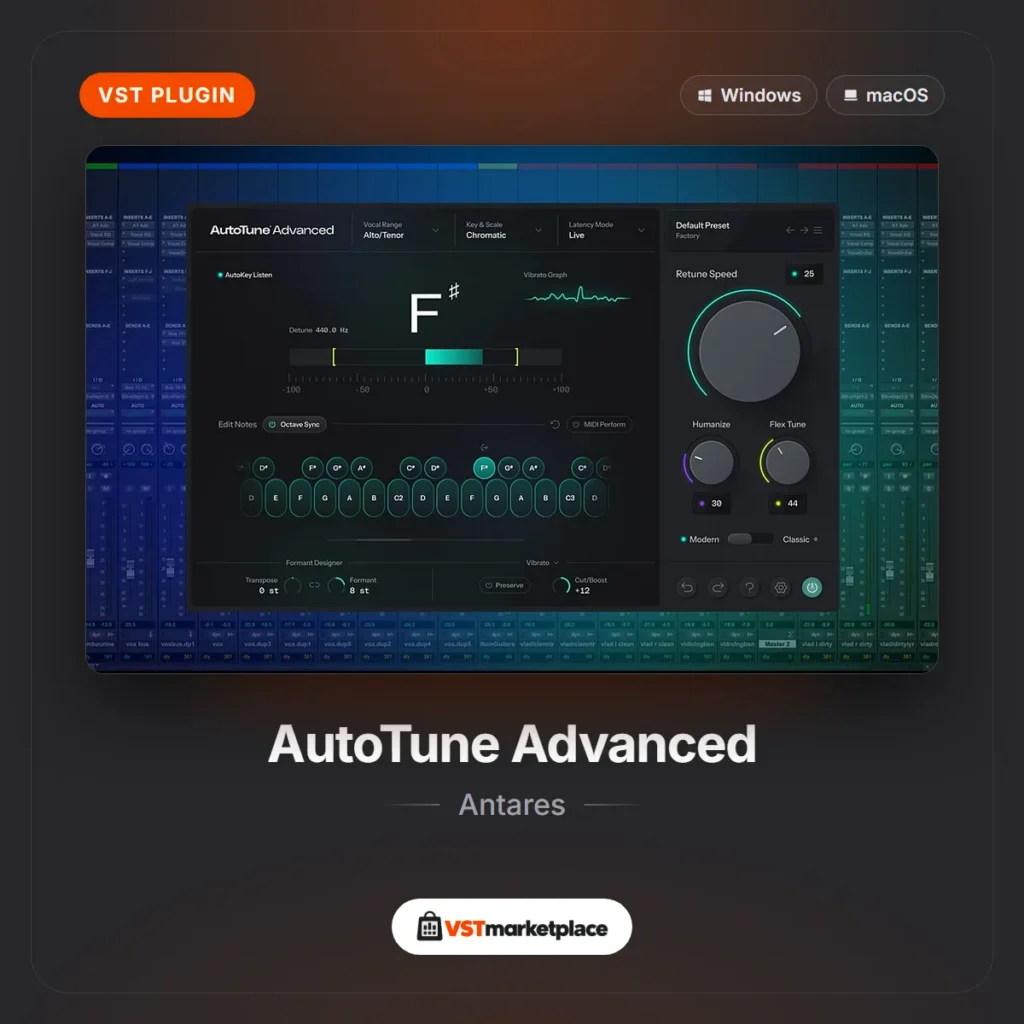
Antares AutoTune Advanced is the company’s flagship automatic pitch correction plug-in, made for tuning vocals in real time, on stage or while you record. It is for singers, producers and engineers who want natural-sounding correction without editing notes by hand. It runs as a VST3 or AU plug-in on Windows 10 and 11 and on macOS 14 or later.
What is AutoTune Advanced?
AutoTune Advanced is built on Antares’ updated tuning technology, which the company describes as its most natural and accurate yet. It was released in September 2026 and sits next to AutoTune Pro 11 in the range rather than replacing it: Advanced is for automatic tuning and live performance, Pro 11 for detailed manual editing.
Key features
- DVA vibrato engine: keeps the singer’s own vibrato, with a real-time visualiser and options to keep, reduce or boost it
- Creative Vibrato FX: adds vibrato where there is none
- Three latency modes: Live (under 1 ms from 44.1 kHz to 192 kHz), Low Latency and High Quality
- Transpose and Formant Designer: each across 12 semitones up or down, linked or unlinked
- Scale editing: all twelve keys and modes on one redesigned panel
- Humanize and Flex Tune: with a visual indicator that shows what they are doing
- 78-key visual keyboard: bypass single notes so intentional bends, runs or vocal fry stay untouched
- Presets made by credited engineers and producers
It also works with AutoKey 2, a separate Antares plug-in that detects key, scale and tempo and sends them to every AutoTune Advanced instance, including automated key changes.
AutoTune Advanced or AutoTune Pro 11?
- AutoTune Advanced: automatic tuning and real-time performance, with the DVA vibrato engine and the sub-millisecond Live mode
- AutoTune Pro 11: detailed manual vocal editing with Graph Mode, note by note
If you want to draw and edit pitch curves yourself, choose Antares AutoTune Pro 11. If you mainly want fast, natural correction while you sing or track, Advanced is the one to pick.
System requirements
- Windows: Windows 10 and 11
- macOS: macOS 14 or later
- Formats: VST3 and AU, in all major DAWs
- Internet: to download and install
Browse more vocal plugins or everything from Antares.
Reviews
No reviews yet. Bought this product? Be the first to share what you think.